Gmail Add-on · Powered by Gemini AI · No code required

Your inbox,
under watch.

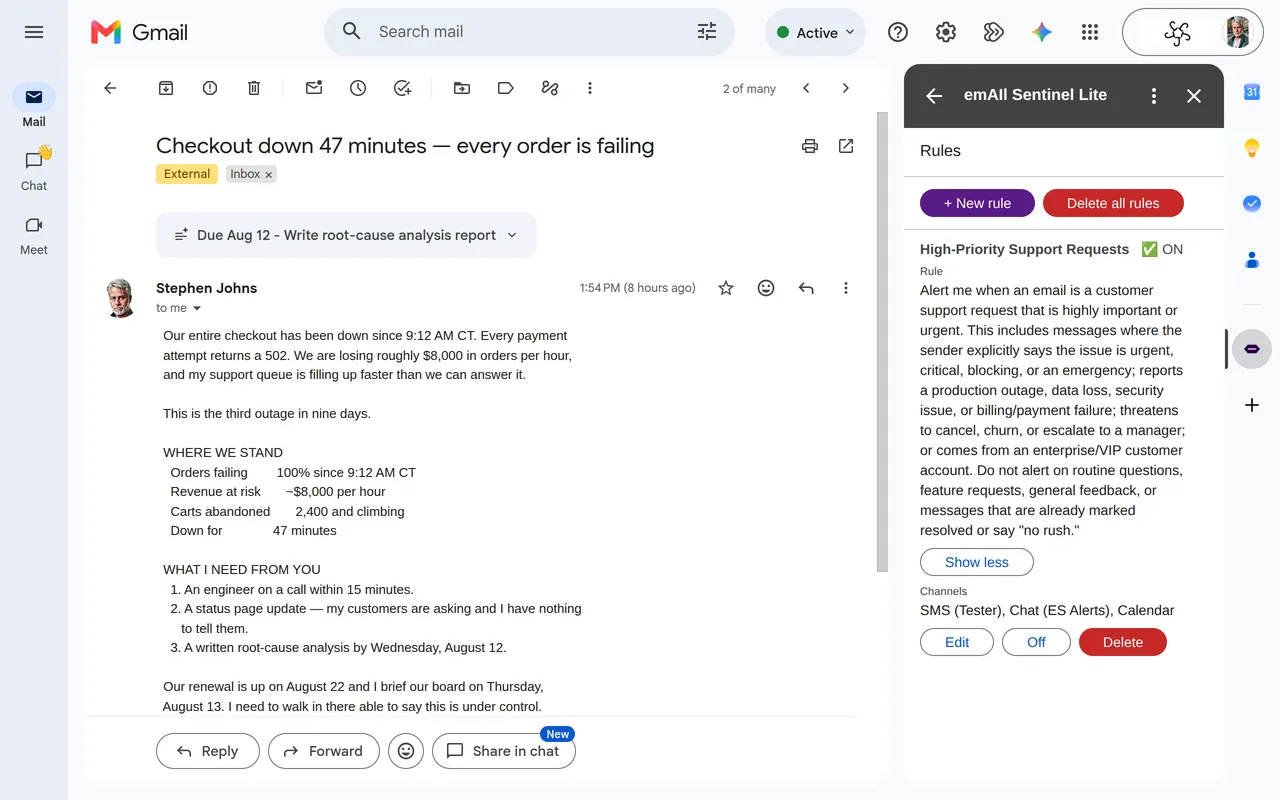
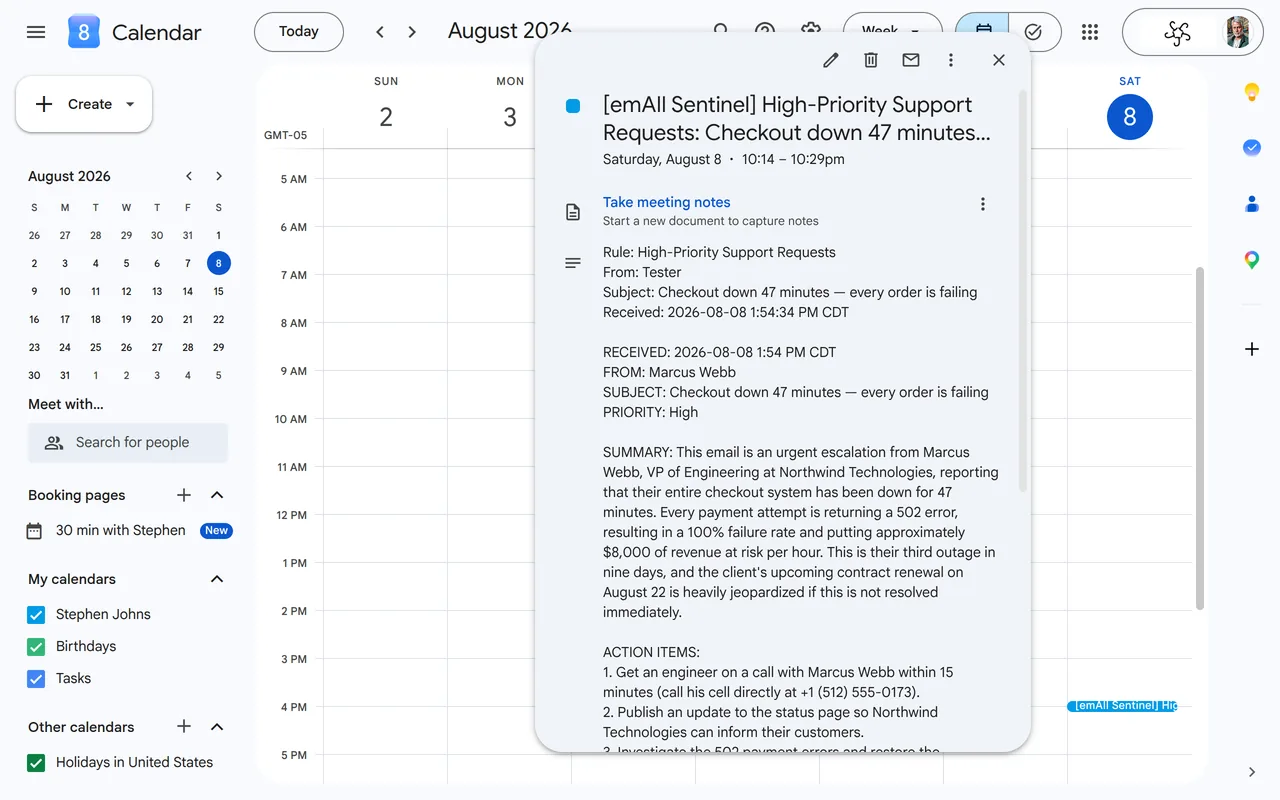
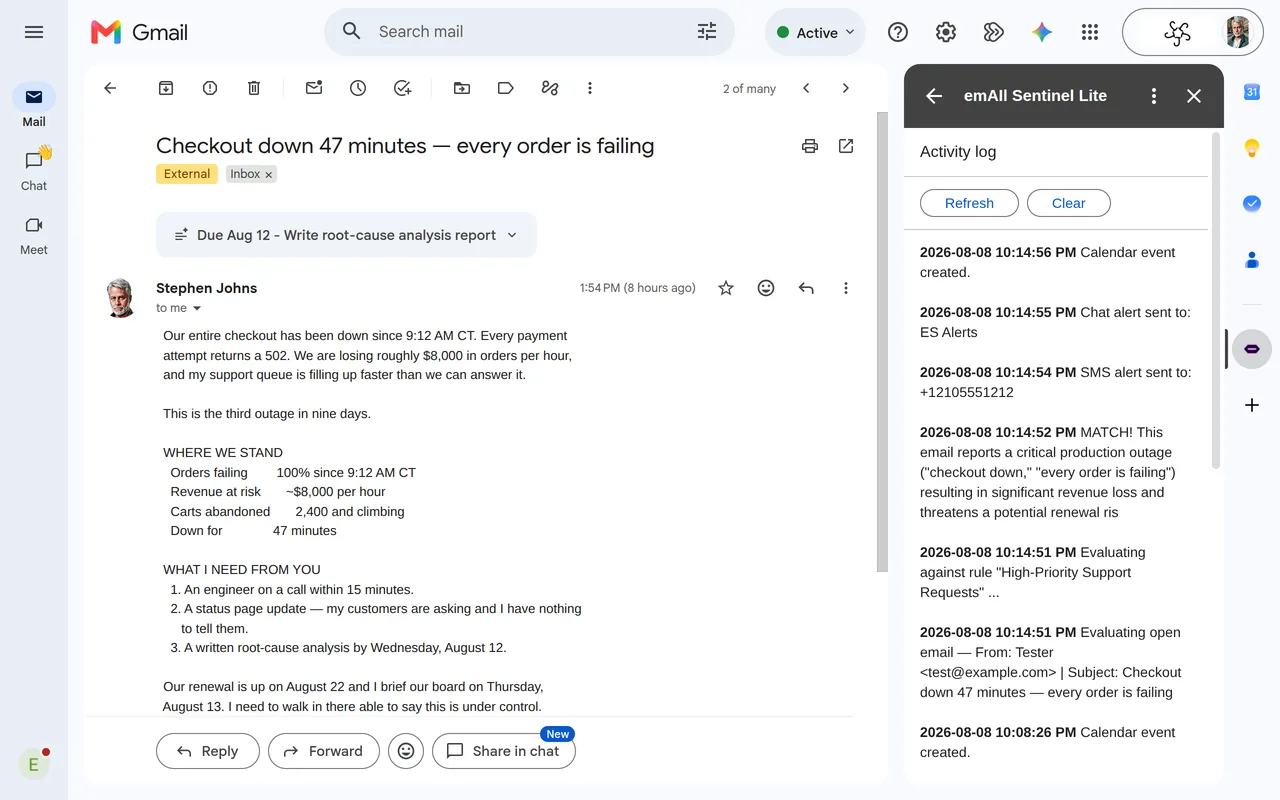
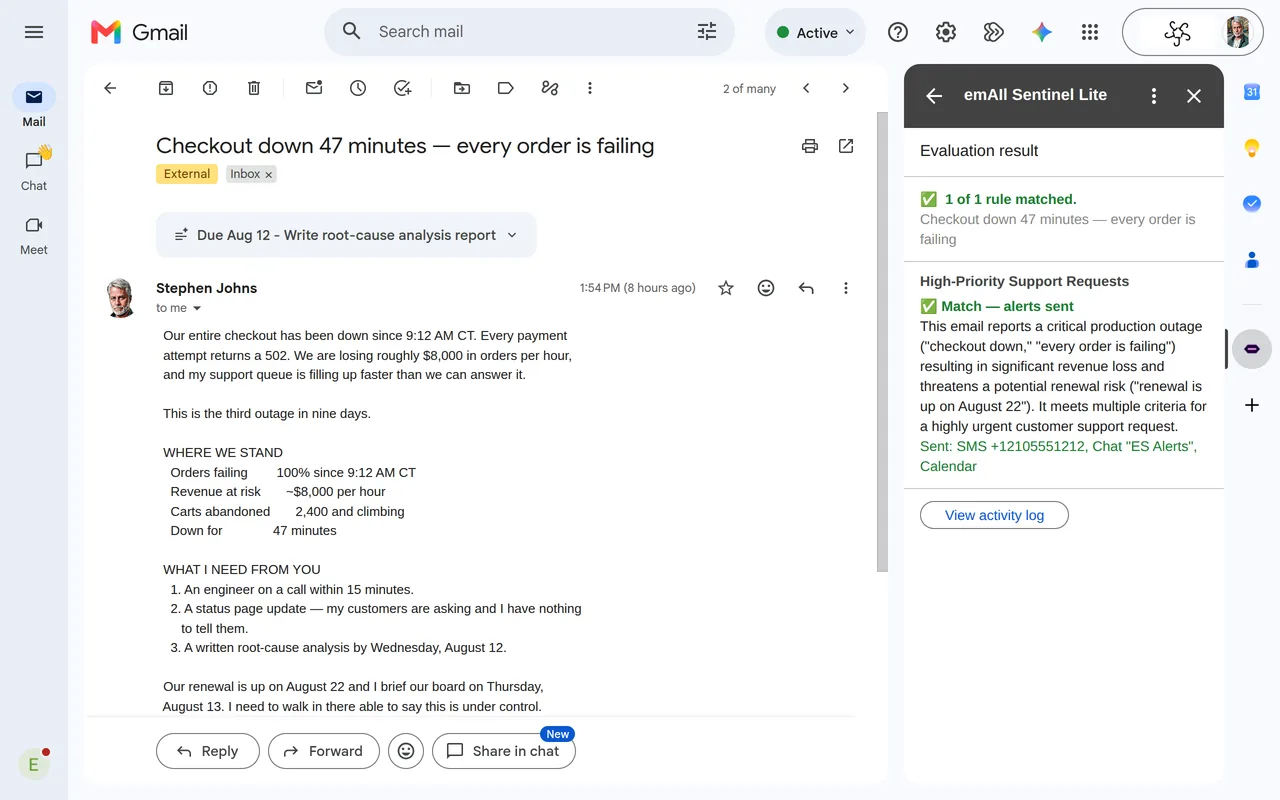
emAIl Sentinel™ monitors your Gmail labels 24/7 and fires instant alerts the moment a message matches your plain-English rules — via SMS, Google Chat, Calendar, Sheets, Tasks, or Docs.

Works inside Gmail No separate app In private testing Powered by Gemini

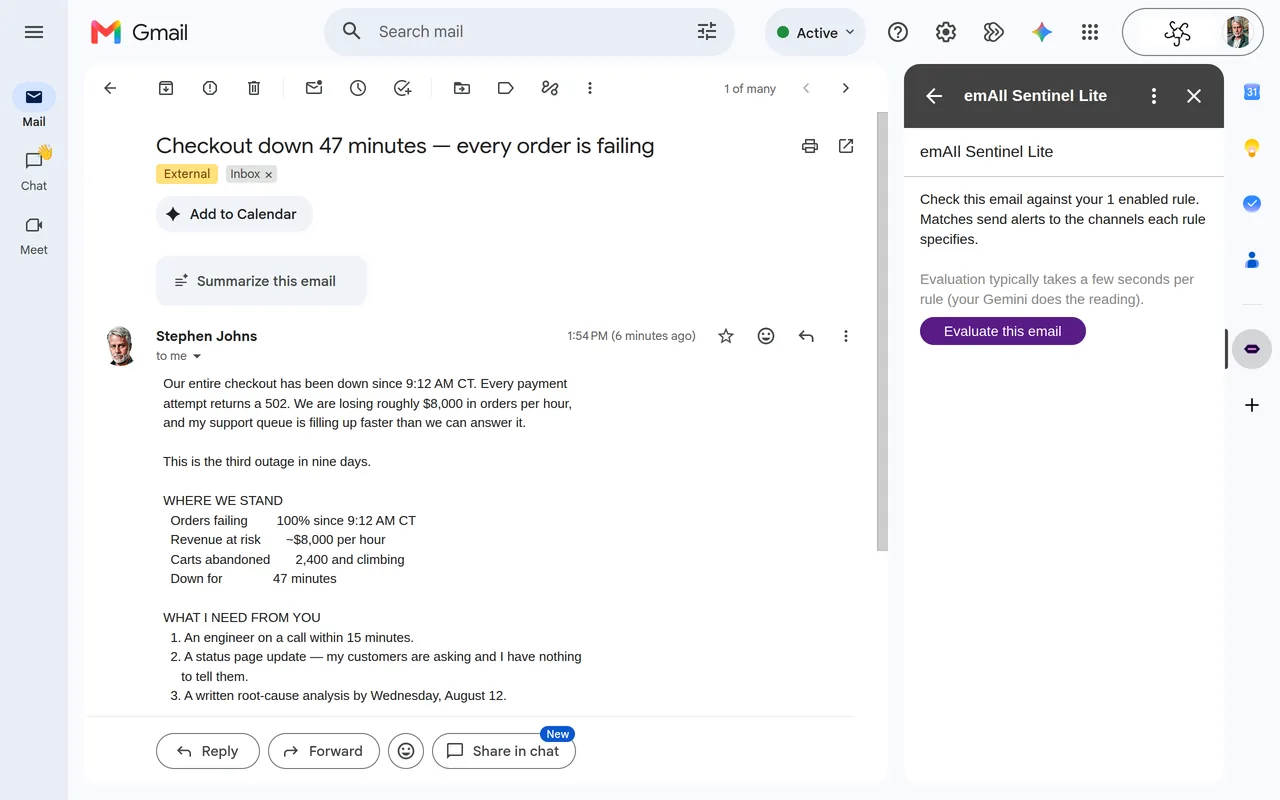
emAIl Sentinel — Rule Editor
// ACTIVE RULE:
loading…
⚡ Alert sent via SMS
Current status

In private pre-launch testing

emAIl Sentinel is currently in private testing with a closed group of users. Public availability via the Google Workspace Marketplace is planned; general sign-ups are not being accepted at this time.

The intended SMS use case is self-notification and small-team alerting — the installing user texts themselves or a small number of colleagues / on-call recipients about email they already have a business reason to see. Users bring their own SMS provider credentials, are the legal sender of every message dispatched on their behalf, and are responsible for TCPA, CAN-SPAM, and carrier-policy compliance under our Terms § 4.1. Use for unsolicited bulk or promotional SMS is expressly prohibited. For inquiries, press, or carrier / compliance review, contact support@jjjjjenterprises.com.

How it works

Three steps to never miss an important email again

01

Install in Gmail

Add emAIl Sentinel from the Google Workspace Marketplace in seconds. It lives in your Gmail sidebar — no separate app, no extra login.

02

Write plain-English rules

Tell Sentinel what to watch for in natural language. "Alert me if a client sounds frustrated." Gemini AI handles the interpretation — no code, no regex.

03

Get alerted your way

Alerts arrive via SMS, Google Chat, Calendar event, Sheets row, or Task — the moment a matching message hits your label. You set the channel per rule.

Features

Precision monitoring,
zero complexity

Everything you need to stay ahead of your inbox — nothing you don't.

📥

Lives inside Gmail

No context switching. emAIl Sentinel runs in your Gmail sidebar via the Google Workspace Add-on framework — where you already work.

✍️

Plain-English rules

Write rules the way you'd explain them to a colleague. No regex, no filter syntax, no boolean logic. Natural language only.

🧠

Gemini AI evaluation

Every new message is analyzed by Gemini against your rules. It understands tone, context, and intent — not just keyword matches.

📱

Bring your own SMS account

Connect your existing SMS provider account to enable text alerts. You manage your own credentials directly with your chosen provider.

🔔

Five alert channels

SMS, Google Chat spaces, Google Calendar events, Google Sheets rows, and Google Tasks. Mix and match per rule.

Hourly polling + on-demand checks

Background checks every 1 hour on Pro or every 3 hours on Free — plus a Scan email now button for an immediate check anytime. Restrict alerts to business hours so you're never woken up at 2 AM for something that can wait.

Alert channels

Alerts wherever you already are

No new app to check. Alerts land in the tools you live in every day — including your phone.

📱 SMS BYO SMS
💬 Google Chat
📅 Google Calendar
📊 Google Sheets
Google Tasks
Security & Privacy

Your data stays in your Google account.

No backend. No shared database. No data broker deals. Just your Google account, your Gemini API key, and the alert channels you choose.

🔒

Runs in your Google account

Everything executes in Google Apps Script under your own OAuth grant. We have no backend that sees your mail.

🔑

Encrypted at rest

Credentials, rules, and settings are stored in Google's encrypted UserProperties — private to your script.

🛡️

Annual security review

Completes Google's CASA (Cloud Application Security Assessment) on the cadence Google requires for Gmail restricted scopes.

🇺🇸

US-only, CCPA-aligned

Currently offered exclusively to US users. Subprocessor list and CCPA / 15-state privacy disclosures in the privacy policy.

Why our polling is hourly — and why that's a feature

Google Workspace caps add-on background polling at once per hour minimum. Many email-monitoring products bypass that cap by running their own backend that polls Gmail every minute and pushes results back. To do that, those products must:

  • Store your Gmail OAuth refresh tokens on their servers
  • Route every email's content through their infrastructure
  • Read and process each message outside your own Google account

We deliberately don't. emAIl Sentinel runs entirely inside your own Google account. Your email content never reaches our servers — we never see, store, or process it. The only places your email data ever goes are the Google Gemini API (called with your API key) and the alert channels you configure.

The 1-hour polling floor is the cost of that architecture, and we think it's worth paying. Need an immediate check? Click Scan email now — available on every plan, anytime.
From JJJJJ Enterprises

Our other endeavors

More tools built to make your professional life easier.

PilotTrainerHQ
Training & Education

PilotTrainerHQ

Comprehensive pilot training resources and tools to help student pilots and instructors navigate the path to certification.

Visit pilottrainerhq.com →
PlaneFacts Online
Aviation Reference

PlaneFacts

Your go-to resource for aviation facts, aircraft specifications, and reference information for pilots and aviation enthusiasts.

Visit planefacts.online →